



For a Faster, More Impactful
PowerPoint Deck
When trial prep hits hyperdrive, the delay between drafting an outline and getting a finished slide deck can cost your team crucial hours.
The secret to a fast, flawless turn-around isn’t fancy software—it’s how you structure your initial document.
By building your outline with standard PowerPoint architecture in mind, you eliminate back-and-forth email chains, prevent copy-paste errors, and ensure your trial graphics team can execute your vision instantly.
Here are the exact five elements top litigators always include in their outlines:
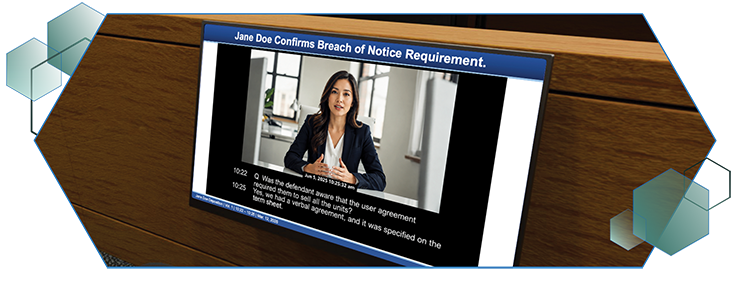
Page Header
(1-2 Lines Max)
Purpose:
This becomes your slide title.
Pro Tip:
Keep it punchy and outcome-focused.
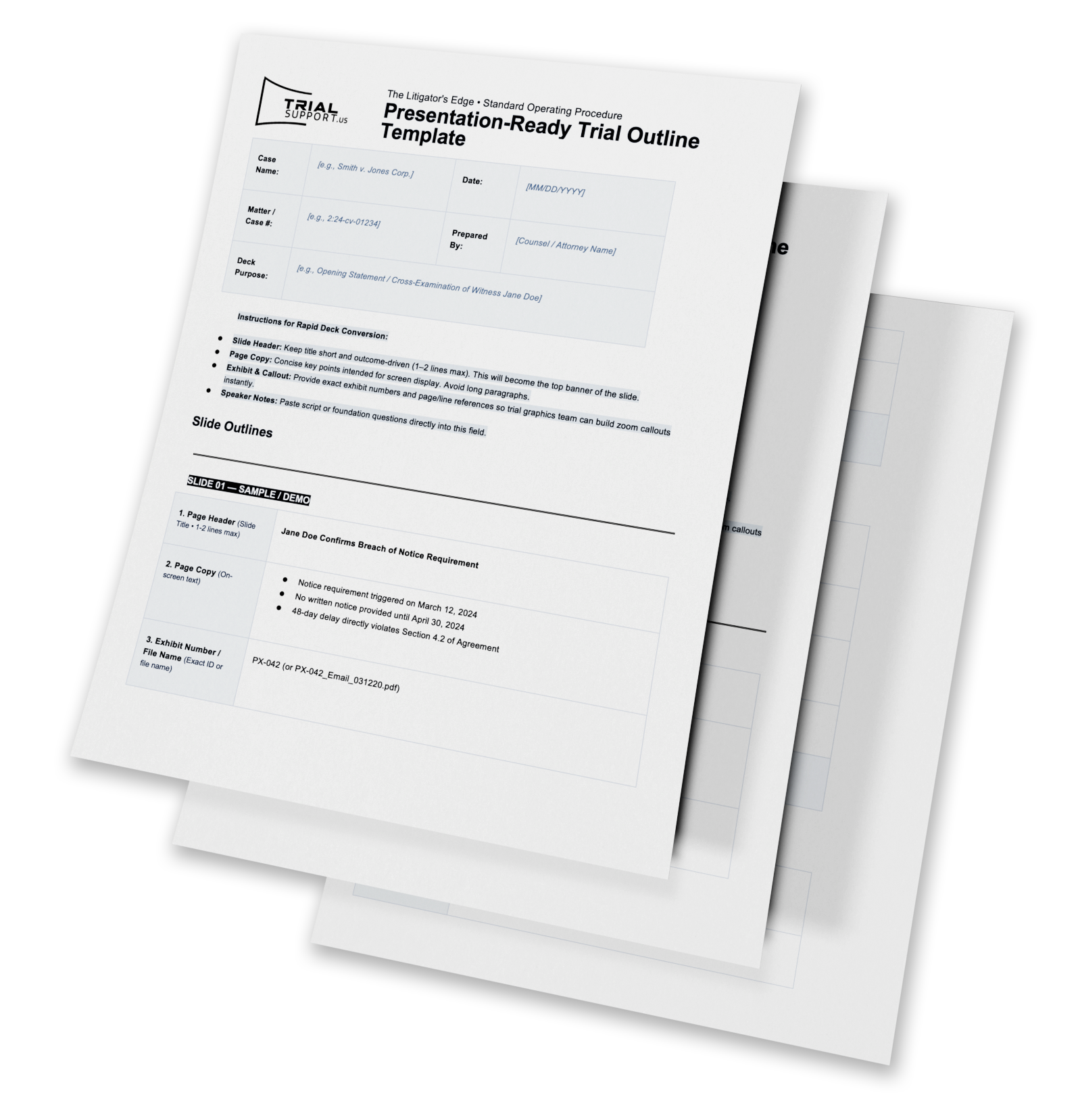
Instead of “Deposition of Jane Doe,” use “Jane Doe Confirms Breach of Notice Requirement.”
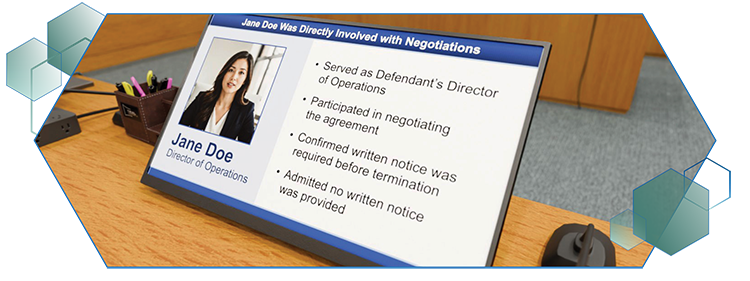
Page Copy
(On Screen Text)
Purpose:
The exact bullet points or brief key takeaways you want the
jury/judge to see on screen.
Pro Tip:
Less is more. Keep on-screen copy concise so it supports your argument without distracting from your speaking.Jane Doe,” use “Jane Doe Confirms Breach of Notice Requirement.”
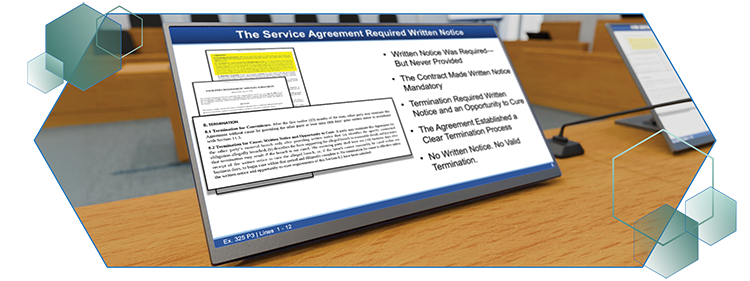
Exhibit Numbers
(or File Name)
Purpose:
The precise designation for the document being referenced.
Pro Tip:
If the formal exhibit number isn’t assigned yet,
use the exact file name (e.g., PX-042_Email_031220.pdf).
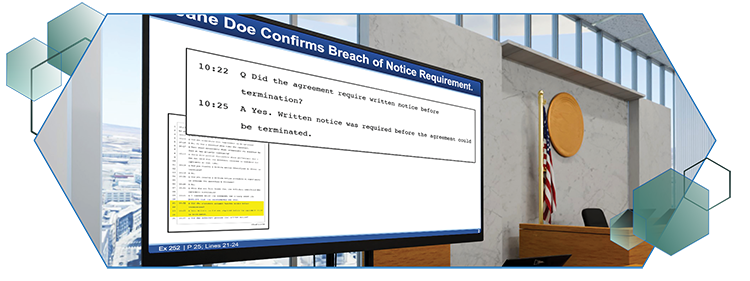
Callout
(Page & Line)
Purpose:
Pinpoints the exact document excerpt to highlight, zoom, or
pull out visually.
Why it Matters:
Specifying the page, paragraph, or line numbers up front drastically cuts down graphic production time and eliminates guesswork for your trial tech.
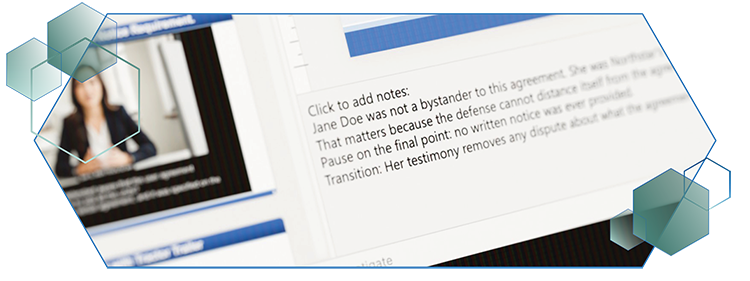
Speaker Notes
(Click to add notes)
Purpose:
The spoken script, talking points, or foundation questions that accompany the slide.
Why it Matters:
Pasting your prepared script directly into the slide notes keeps your spoken argument perfectly synced with your visual visuals during presentation.

Have a Trial on the Calendar
- Slides that need stronger visual hierarchy
- Complicated facts that would benefit from a demonstrative
- Repetitive production work your legal team can delegate
- Potential presentation issues to resolve before trial week
What Your Team Can Hand Off
- Opening and Closing Decks
We transform outlines, exhibits, and working slides into a consistent, courtroom-ready presentation. - Persuasive Trial Graphics
Timelines, damages summaries, medical illustrations, process diagrams, 3D demonstratives, and other visuals designed to clarify the case. - Trial-Ready Production
Exhibit preparation, deposition clips, document callouts, courtroom technology, and on-site or remote presentation support.
Protect the Time That Matters Most
Your attorneys should spend the weeks before trial refining the argument—not formatting slides, troubleshooting media, or tracking down production vendors.
TrialSupport can join your workflow at any stage and help carry the presentation from early development through closing argument.

